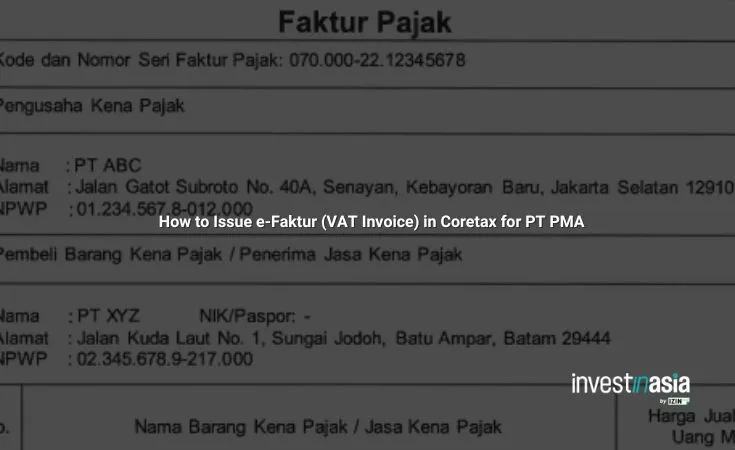
Issuing e-Faktur in Coretax is mandatory for PT PMA starting from the January 2025 tax period. The legacy e-Faktur application is no longer used, and all VAT invoices must now be processed through Coretax under the supervision of Direktorat Jenderal Pajak.
If you operate a foreign-owned company in Indonesia, you must understand this transition clearly. VAT compliance is no longer just about issuing an invoice. It is about real-time validation, digital signatures, and integrated SPT Masa PPN reporting within a single ecosystem.
Also read; Does a PMA Company in Indonesia Need an NPWP?
Prerequisites Before Issuing e-Faktur

Before creating a VAT output invoice, your PT PMA must have:
- An active NPWP
- A valid digital certificate for signing
- Access to Coretax via pajak.go.id
- Stable internet connection
- Complete transaction details
Prepare buyer NPWP or NIK, description of BKP or JKP, DPP value, and applicable VAT rate. The standard VAT rate is 11 percent.
Without these elements, your invoice may fail validation or appear as saved_invalid in the dashboard.
Also read: Indonesia’s PPN (VAT) Guide: Regulation, Rates, Calculation
Step-by-Step: Creating Faktur Pajak Keluaran
1. Login to Coretax
Access pajak.go.id and log in using your NPWP and password. From the dashboard, select the e-Faktur or E-Tax Invoice module.
2. Create Output Invoice
Choose “Create Output Invoice” or “Faktur Pajak Keluaran.” Then:
- Input buyer NPWP. The system auto-fills name and address.
- Select transaction code such as 01 for standard transactions or codes 02, 03, or 04 based on PMK 131.
- Enter item details, DPP, and VAT amount.
If the transaction involves advance payment, mark the uang muka feature or add a clear note. For final settlement, use the pull-forward function to link the invoice properly.
3. Save and Digitally Sign
Save as draft first. Review carefully.
Then submit using your digital certificate. Select certificate type and enter your PIN. This signature finalizes your VAT output invoice.
Also read: VAT Exemption in Indonesia: Key Policies and Implications
Approval and Download
Coretax provides real-time approval status through the dashboard.
Once approved:
- Download PDF and XML formats
- No manual NSFP request is required because the system auto-generates it
- Reconcile the invoice directly with SPT Masa PPN within the same platform
This integration reduces administrative duplication but increases compliance transparency.
Also read: Coretax Compliance Checklist for Foreign-Owned Companies (PT PMA)
How to Correct an Incorrect e-Faktur
Errors happen. Common issues include incorrect buyer NPWP, wrong DPP, VAT miscalculation, or incorrect transaction codes.
Under PER-11/PJ/2025, corrections must be done through Faktur Pajak Pengganti.
Steps to Amend:
- Login to Coretax
- Locate the problematic invoice using filter by tax period or serial number
- Click edit and choose “Amend”
- Correct the data
- Sign digitally and submit
After approval, the old invoice is automatically canceled.
You must report the replacement invoice in the same SPT Masa PPN period and provide a copy to the buyer.
Why This Matters for PT PMA
For foreign shareholders and expatriate directors, Coretax introduces higher transparency and traceability.
The system is:
- Mandatory
- Digital
- Real-time validated
- Fully integrated with VAT reporting
However, misclassification, incorrect codes, or digital certificate errors can trigger compliance risks.
Also read: PT PMA (Foreign Company) Taxation in Indonesia: Complete Guide
How We Support Your VAT Compliance
At InvestinAsia, we assist PT PMA in handling Coretax registration, VAT invoice issuance, correction procedures, and SPT Masa PPN reconciliation.
We understand that as a foreign investor, you may not want to spend hours navigating technical tax modules. Our tax consultant and compliance team ensures your invoices are issued correctly, digitally signed properly, and aligned with Indonesian VAT regulations.
If you want structured, error-free VAT compliance in Indonesia, we are ready to guide you.
Learn more about InvestinAsia’s Indonesia tax consultant and compliance services.
Contact us now for FREE consultation and get a special offer!
FAQs: e-Faktur in Coretax for PT PMA
Is Coretax mandatory for PT PMA starting 2025?
Yes. Beginning January 2025 tax period, all VAT invoices must be issued via Coretax.
Do I still need to request NSFP manually?
No. Coretax automatically generates the serial number upon approval.
What happens if my invoice shows saved_invalid?
Review buyer NPWP, DPP, VAT calculation, and transaction code. Correct and resubmit or recreate if necessary.
Can I issue VAT invoice for advance payments?
Yes. Use the uang muka feature and link it properly to the final settlement invoice.
How do I correct a wrong VAT invoice?
You must issue a Faktur Pajak Pengganti through Coretax in accordance with PER-11/PJ/2025.